Key takeaways
- Search every place you pay from: bank statements, each card, and your phone's app store.
- Three months of statements shows what repeats; a full year catches annual renewals.
- Cancel through the same place a subscription is billed, then check the next statement.
- Give the subscriptions you keep a planned monthly amount so new ones have to fit.
Subscriptions are easy to start and easy to forget. A free trial becomes a monthly charge, a yearly renewal arrives without warning, and a service you signed up for once keeps billing in the background. None of this means you did anything wrong. It is simply how recurring billing is designed to work, and it is common enough that the Federal Trade Commission says consumers send it thousands of complaints each year about charges they didn’t intend to sign up for or can’t easily stop.1
The fix is not guilt or a big purge. It is a clear list. Once you can see every recurring charge in one place, deciding what to keep is the easy part.
This guide takes about an hour the first time. After that, a quick check every few months keeps the list current.
Why subscriptions hide
Recurring charges tend to hide for a few reasons:
- They are small. A few dollars a month doesn’t stand out on a long statement.
- They are spread out. Some bill on your debit card, some on a credit card, and some through your phone’s app store.
- Some only bill once a year. An annual renewal shows up in one statement out of twelve.
- Names don’t match. The merchant name on a statement is often a parent company or an abbreviation, not the brand you remember.
So the search needs to cover every place you pay from, over a long enough period.
Step 1: Go through three months of statements
Start with every account that could be charged: checking, each credit card, and any debit cards. Three months is the minimum, because it shows you what repeats.
- Download or open three months of transactions for each account.
- Look for the same merchant appearing each month at a similar amount and on a similar date.
- Write each one down: name, amount, how often, and which account it bills.
If a charge name makes no sense, search it online or look for a phone number in the description. Many banks and card issuers also list recurring payments in their app or website, which can speed this up.
As an example, a first pass might turn up:
| Charge (example) | Amount | How often | Paid with |
|---|---|---|---|
| Video streaming | $15.49 | Monthly | Credit card |
| Music streaming | $10.99 | Monthly | Credit card |
| Cloud storage | $2.99 | Monthly | App store |
| Gym | $45.00 | Monthly | Checking |
| Meal kit | $69.00 | Monthly | Credit card |
| News site | $4.00 | Monthly | Credit card |
| Monthly total | $147.47 |
Step 2: Check your app store subscriptions
Subscriptions bought inside an app are billed through your phone’s app store, and they often show up on statements under the store’s name instead of the app’s. Each store keeps its own list.
On iPhone or iPad: open Settings, tap your name at the top, then tap Subscriptions. You’ll see active and expired subscriptions billed through Apple, with renewal dates.
On Android: open the Google Play Store app, tap your profile picture, then Payments & subscriptions, then Subscriptions.
Add anything new to your list. These lists only cover subscriptions billed through the store. Anything you signed up for on a company’s own website won’t appear here, which is why Step 1 matters.
Step 3: Search your email
Most services send a receipt or a renewal reminder. Search your inbox (and any old email addresses you still use) for words like:
- receipt
- renewal / renews / auto-renew
- subscription
- your trial is ending
- membership
- invoice
- payment confirmation
This catches services billed to a card you rarely check, and gives you the exact name, price and renewal date.
Step 4: Look a full year back for annual renewals
Yearly charges are the ones most likely to surprise you: a software license, a membership, domain names, a warehouse club, an antivirus plan, a card’s annual fee. Three months of statements will often miss them.
Scan twelve months of statements for larger one-off charges from the same kind of merchant, and search email for “annual” and “yearly”. Write down the month each one renews.
Once you know them, you can spread their cost across the year instead of being caught out. Sinking funds for annual expenses explains how.
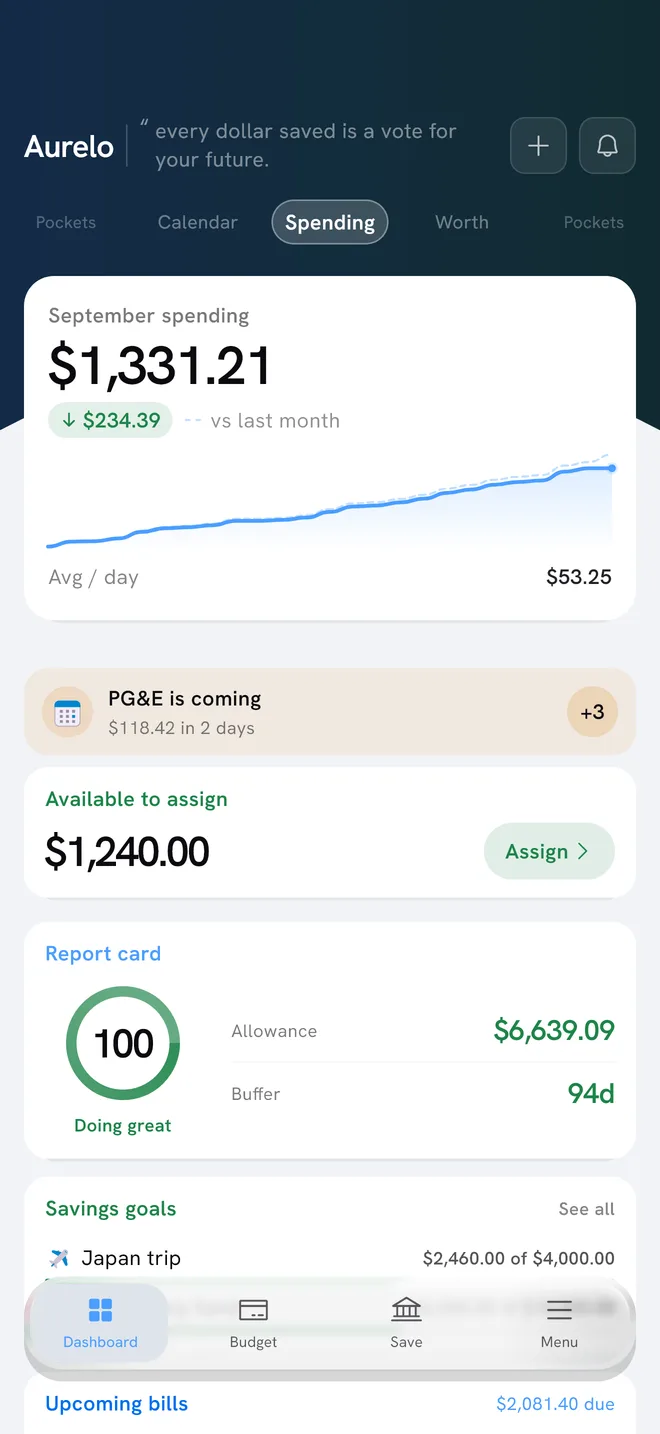
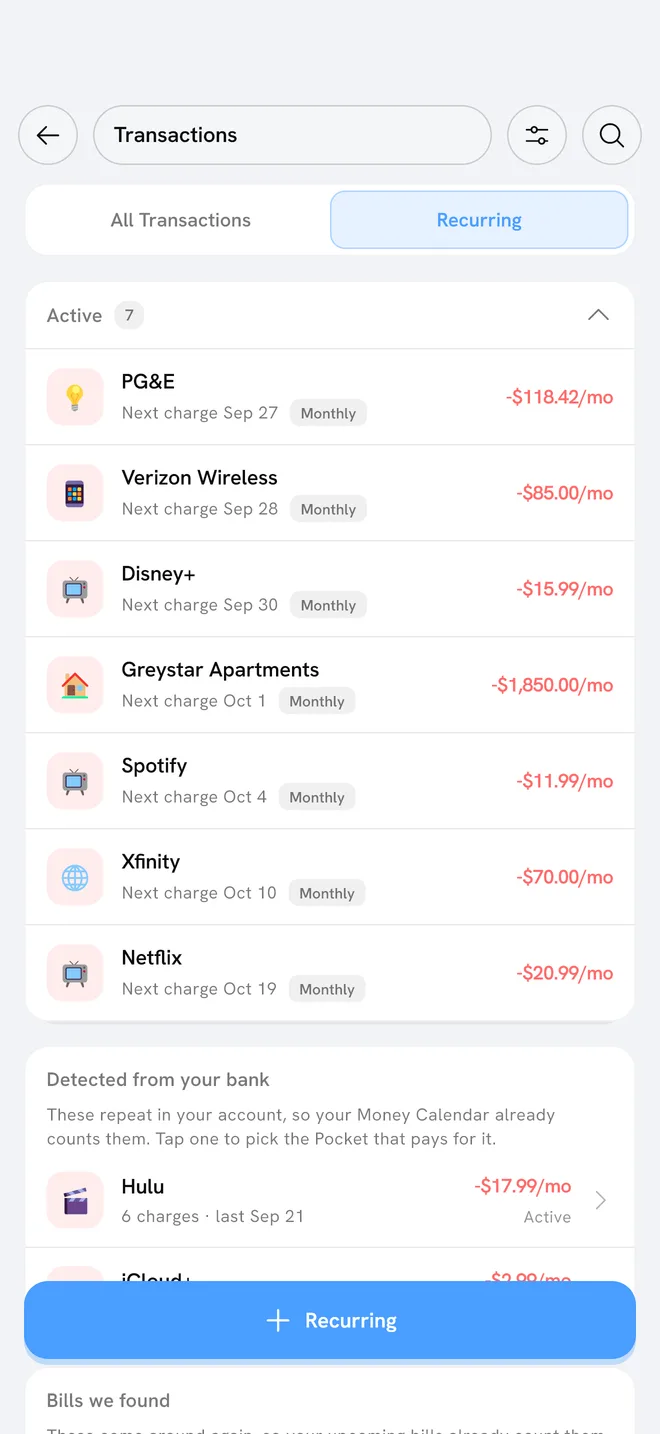
In Aurelo: Aurelo reads your last six months of transactions when you connect your bank, finds recurring subscription charges and groups them in a Subscriptions pocket, so they sit in one place. Yearly bills can go in Annual Pockets, which set a little aside each month. Upcoming bills show what’s due and when, and Aurelo only shows a bill it’s confident about.
Step 5: Decide, one subscription at a time
Now you have the list. Go through it slowly. There is no right number of subscriptions, and plenty of them are worth every cent to you. The point is that each one is a choice rather than an accident.
For each item, a few questions can help:
- When did I last use it? Not whether you might, but when you actually did.
- Do I have two of the same thing? Two music services, or storage on two platforms, is common.
- Is it on the right plan? Some services offer a smaller plan or a yearly price, if that suits how you use it.
- Would I sign up again today at this price?
Then put each one in one of three groups: keep, change, or stop. Whatever you decide is up to you.
If you choose to stop one, cancel through the same place it’s billed: the app store list for app store subscriptions, or your account settings on the company’s website or app for everything else. Note the date it ends, and check your next statement to confirm the charge is gone. If a company keeps charging after you’ve tried to cancel, the FTC’s consumer advice is to contact your card issuer and dispute the charge, and to keep a record of what you did.2
You may have heard of a federal “click to cancel” rule. The FTC adopted one in October 2024, but a federal appeals court vacated it on July 8, 2025, shortly before businesses had to comply with all of it. In March 2026 the FTC asked the public whether and how it should update its rule on these plans.1 Until that settles, the most reliable protection is your own list.
Step 6: Keep the list current
A one-time search is useful. A habit is better.
- Set a reminder when you start a free trial, a day or two before it converts. The FTC gives the same advice: mark the cancellation deadline on your calendar.2
- Review the list every few months, or whenever prices go up. A light weekly habit of tracking your spending catches new charges sooner.
- Keep renewal dates with your other bills. How to organize your bills shows a simple way to see every due date in one place.
- Budget for what you keep. Give your subscriptions a planned monthly amount, so a new one has to fit rather than quietly stretch the budget.
That last point connects to the rest of your plan. If you’re building a budget from scratch, how to make a budget shows where recurring costs fit, and budgeting with credit cards covers the charges that land on a card.
In Aurelo: The Subscriptions pocket shows your recurring charges neutrally. It never tells you to cancel anything, and it can’t cancel for you. It’s there so you can see the full picture and decide for yourself.
The short version
- Check three months of every bank and card statement for charges that repeat.
- Check your app store subscription list on each phone.
- Search your email for receipts, renewals and trial reminders.
- Look back a full year for annual renewals.
- Decide on each one: keep, change or stop.
- Give what you keep a planned amount, and review every few months.
Common questions
How do I see all my subscriptions on my iPhone?
Open Settings, tap your name at the top, then tap Subscriptions. That list covers subscriptions billed through Apple, but not ones you signed up for directly on a company's website.
How do I find subscriptions I forgot about?
Look through at least three months of bank and card statements for charges that repeat, then check a full year for once-a-year renewals. Searching your email for words like receipt, renewal and trial ending catches the rest.
Why can't I find a subscription in my app store list?
It was probably billed directly by the company rather than through Apple or Google. Search your statements for the charge and manage it from your account on the company's website or app.
How do I find recurring charges on my bank account?
Download or scroll through three months of transactions and look for the same merchant appearing at a similar amount on a similar date. Many banks and card issuers also list recurring payments in their app or website.
Sources
- Rule Concerning Use of Prenotification Negative Option Plans: Advance Notice of Proposed Rulemaking , Federal Trade Commission, 2026
- Getting In and Out of Free Trials, Auto-Renewals, and Negative Option Subscriptions , Federal Trade Commission, 2024
Written by the Aurelo team. We build Aurelo, a budgeting app that reads your accounts read-only and never moves your money. Every claim about the app is checked against the app itself, and every figure links to its source. This is general education, not financial, tax or legal advice.